Why your keyboard might be whispering (and listening)
Hall‑effect keyboards are surging in popularity for their buttery‑smooth feel and adjustable actuation. Instead of metal contacts, each switch moves a tiny magnet that a sensor reads—great for gaming and precision, but it also creates a new security surface rooted in magnetism and electromagnetics. Recent studies show two classes of risk you should know about: electromagnetic eavesdropping (leaking what you type) and keystroke injection (an attacker triggering keys without touching your board). (rtings.com)
The 2026 headline: DualStrike on Hall‑effect boards
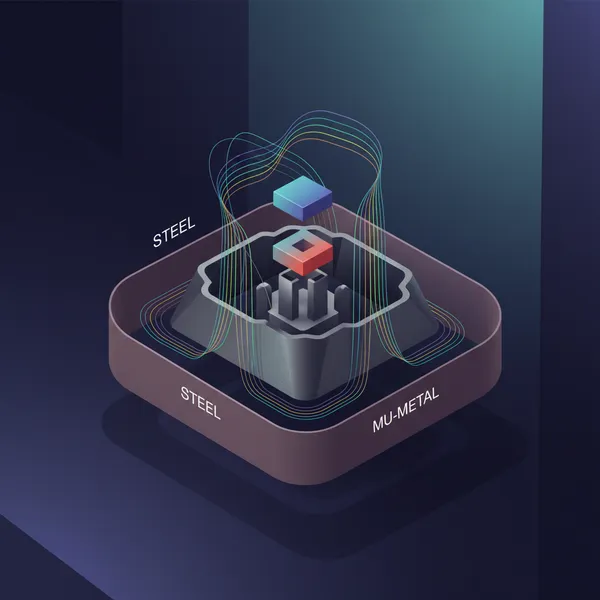
At NDSS 2026, researchers introduced DualStrike, a system that can both listen to keystrokes and inject per‑key inputs on consumer Hall‑effect keyboards—no firmware mods or host malware required. In tests across six recent models, the team reports >98.9% injection accuracy and >99% eavesdropping accuracy, and maintains 98.5% injection accuracy even when the keyboard is displaced by up to 4 cm after a brief calibration. They also demonstrate extremely fast injection bursts—up to 12,553 actions per minute (e.g., 40 characters in ~200 ms). Finally, they propose a practical fix: small, per‑sensor ferromagnetic shields that cut injection accuracy to effectively 0% with roughly 10% added material. (ndss-symposium.org)
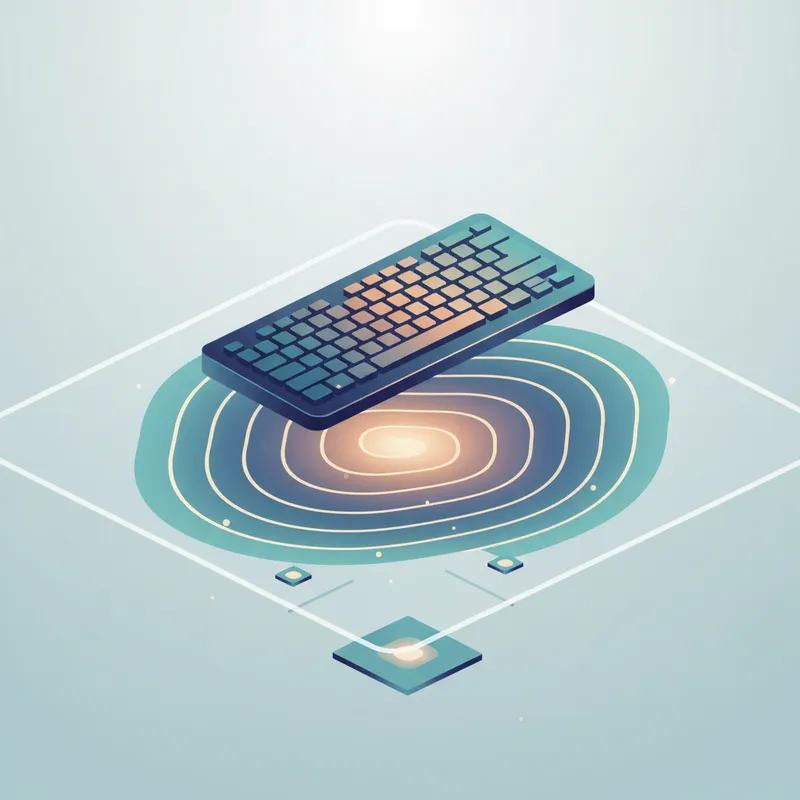
Why does this work? Two ingredients: an under‑desk magnetometer array to sense the magnetic ripples of real presses, and a compact, high‑frequency electromagnet array to mimic those ripples per key. Reverse‑engineering further showed that, below the default travel distance, a field on the order of single‑digit millitesla can trigger a key event on at least one tested board—underscoring how sensitive these sensors are to well‑shaped external fields. (ndss-symposium.org)
2025: Commodity keyboards can radiate keystroke events farther than you think
Separate 2025 work highlights a different pitfall: repaired USB keyboard cables can unintentionally act like antennas, making keystroke activity detectable at long range. In controlled measurements, keystroke detection reached ~100% at distances up to 12 meters—including through a 14 cm concrete wall. Multi‑layer aluminum shielding around the repaired section reduced emissions by up to 30 dB but did not fully eliminate leakage, illustrating that ad‑hoc fixes are imperfect. (researchgate.net)
Active EM injection isn’t just theory
Beyond keyboards, USENIX Security 2026 introduced the idea of injection‑induced EM side channels: by transmitting RF energy tuned to common device nonlinearities, an attacker can “pull” otherwise hidden low‑frequency secrets into measurable RF bands—demonstrating through‑wall audio eavesdropping from tens of meters away with off‑the‑shelf gear. Different target, same lesson: carefully crafted EM injection can both leak and manipulate signals. In the keyboard world, DualStrike is the concrete, per‑key example. (usenix.org)
Reality check: Who should worry?
- Proximity and placement matter. Today’s Hall‑effect attacks require positioning sensor/coil arrays under or near the desk; long‑range commodity‑keyboard eavesdropping hinged on a repaired cable acting like an antenna. Home users face low risk; shared labs, high‑stakes offices, or public test kiosks face higher risk. (ndss-symposium.org)
- Hall‑effect keyboards are uniquely sensitive to nearby magnetic objects (speakers, magnetic desk mats, magnetized steel frames). Even vendors warn about interference and offer simple checks. (wooting.io)
Practical hardening you can do today
Here’s a pragmatic, non‑alarmist checklist for both commodity and Hall‑effect boards.
1) Placement and housekeeping
- Keep strong magnets away from the keyboard area: magnetic cable clips, wireless chargers, speaker drivers, or magnetic desk mats. If you notice odd behavior when you move the board, test on a wooden surface. (wooting.io)
- For Hall‑effect boards, avoid resting on magnetized steel. If your desk frame is ferrous and magnetized, shifting the keyboard can change baselines; relocate or add a non‑magnetic top (wood, glass) under the typing area. (wooting.io)
2) Cables and repairs (commodity keyboards)
- Prefer intact, well‑shielded USB cables. If a cable must be repaired, know that the splice can radiate. Even 8 layers of aluminum tape reduced but did not eliminate emissions in lab tests. Upgrading to a new, shielded cable is safer than DIY splices. (researchgate.net)
3) Passive EM hygiene
- Ferrite chokes on USB cables and tidy cable routing can help with general EMI hygiene, though they won’t stop a determined, under‑desk Hall‑effect injector. Consider a metal case for general shielding, but remember: low‑frequency magnetic fields are hard to block with thin conductors. (en.wikipedia.org)
4) Vendor‑level fixes you can ask for (or shop for)
- Per‑sensor ferromagnetic shielding on Hall‑effect boards: the NDSS team shows small local shields drastically reduce injection while preserving normal sensing. If you’re buying for a fleet, ask vendors about this. (ndss-symposium.org)
- Sensible firmware defaults: e.g., robust per‑boot calibration, anomaly checks for sudden baseline shifts, and optional caps on extreme actuation sensitivity in “secure mode.” Vendor guidance already acknowledges that external fields can skew readings. (wooting.io)
5) Administrative defenses (orgs, test centers)
- Physical environment: treat exam rooms and shared labs like mild TEMPEST spaces—control what’s under desks; disallow magnetic accessories near stations; prefer intact cabling; keep spare, shielded cables on hand. (researchgate.net)
- Host‑side anomaly detection: lightweight keystroke‑dynamics filters can flag machine‑like typing bursts, providing a soft alarm for injected sequences without reading content. Recent work shows human‑vs‑machine discrimination using timing features alone. (arxiv.org)
A friendly “Adversary Mode” for typing tests
We can educate (not scare) users by letting them rehearse against simulated side channels right inside a typing test:
- EM eavesdropping view: After a run, show an “attacker’s guess” panel that reveals how patterns could be inferred from magnetic or RF leakage. For Hall‑effect modes, visualize per‑key magnetic maps and highlight how consistent rhythms make reconstruction easier. Back it with one‑sentence explainers and a link to the research. (ndss-symposium.org)
- Injection simulator: Occasionally insert a small number of benign “phantom” characters or simulate a sticky modifier, then pause and explain what just happened and how physical placement or shielding would mitigate it. Calibrate so it’s rare and clearly labeled post‑run—no frustration, just awareness. (ndss-symposium.org)
- Environment coach: Before the test, an interactive checklist prompts users to remove magnets nearby, try a wood surface, and avoid repaired cables. After the test, provide a personalized “exposure score” with simple remediation tips. (wooting.io)
Design principles for this mode:
- Keep it opt‑in, playful, and short. Avoid technical overload.
- Emphasize what helps most in everyday setups: remove magnets, avoid sketchy cables, and mind under‑desk space.
- Link to sources for the curious, while steering clear of build‑your‑own attack details.
Bottom line
- For Hall‑effect keyboards, DualStrike shows highly accurate eavesdropping and per‑key injection are possible with cleverly placed sensors and coils—and that per‑sensor magnetic shielding is a promising manufacturer fix. (ndss-symposium.org)
- For commodity keyboards, poor cables (especially repaired ones) can become long‑range leak sources, but better cabling and thoughtful shielding help. (researchgate.net)
Typing tests can be more than speed drills—they’re a perfect, low‑stress place to teach typing test security: what electromagnetic eavesdropping looks like, how keystroke injection might feel, and the simple steps that make both much harder in real life.