Why WPM isn’t the whole story
Most keyboard comparisons end at raw typing speed on plain text. But real work—whether you’re revising a report or wrangling code—blends text entry with lots of navigation and command execution: select, move, delete, paste, and jump. Classic HCI and editor-usage research suggests that a large share of our keystrokes and time go to these non-typing actions, not just letters. One long-term study of everyday editing found a rough split of about half typing, a quarter cursor movement, and the rest deletion and other commands. That’s huge if you’re only benchmarking WPM. (michaelgood.info)
We also know from Microsoft’s Office telemetry era that Paste sits at the very top of real-world commands (with Save, Copy, Undo, and Bold filling out the top five)—clear evidence that everyday editing is command-heavy, not just character entry. (blog.granneman.com)
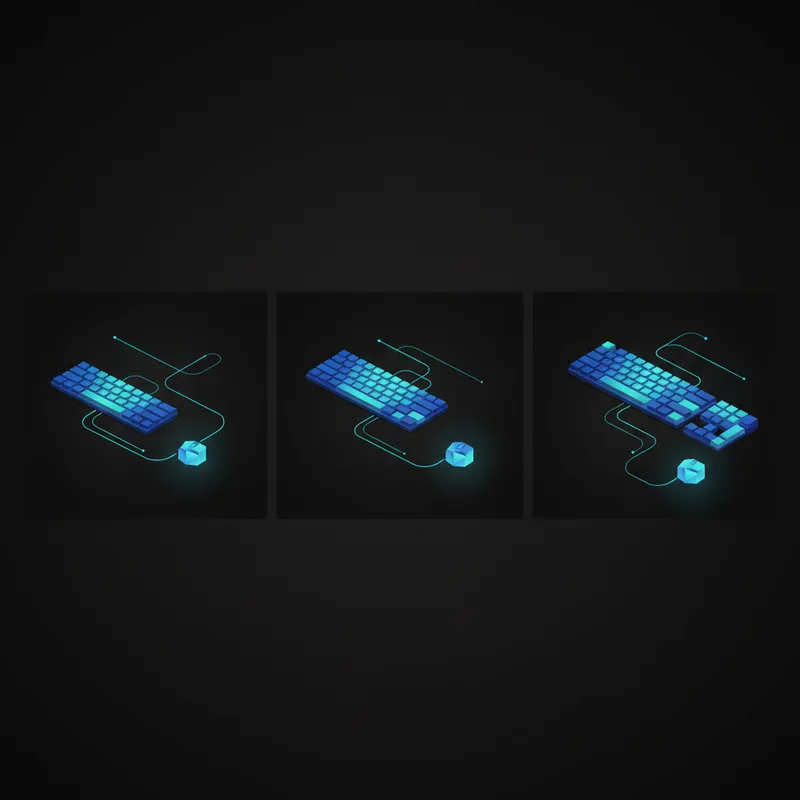
What actually changes between 60%, 75%, and TKL
- 60% (~61 keys): Keeps the alphas and modifiers; moves arrows, function row, and navigation cluster to a function (Fn) layer. (rtings.com)
- 75% (~82–84 keys): Compact version of TKL that restores dedicated arrows and an F-row while squeezing out the gaps. (rtings.com)
- TKL/80% (87–88 keys): Standard layout with F-row and navigation cluster intact, minus the numpad. (wiki.1upkeyboards.com)
These layout choices directly affect how you issue those high-frequency edit commands: whether Delete, Home/End, PgUp/PgDn, arrows, or F-keys are a single tap—or a chord behind Fn.
Two metrics that expose “edit-time efficiency”
To capture what WPM misses, use these workflow-first metrics when you test:
- Hands-Off-Home-Row Time (HOHRT): Total time per task that either hand leaves home row (including reaching for mouse, nav cluster, or far keys). Lower is better.
- Navigation Keystrokes per 100 Words (NK/100): Count of non-character navigation keystrokes (arrows, word/line jumps, Home/End, PgUp/PgDn) needed to complete an edit task normalised to 100 words of output. Lower usually means more efficient navigation.
Why layout width matters (even when you’re not typing)
When your keyboard is narrower, your mouse can sit closer to your body’s midline. That often reduces how far (and how often) your right arm abducts away from the torso during mixed typing-and-pointing work—time that inflates HOHRT. Ergonomic guidance explicitly recommends keeping the mouse “near the keyboard and within reach,” and research has shown that positioning the mouse farther to the side raises shoulder load and awkward postures. (pmc.ncbi.nlm.nih.gov)
Crucially, removing the numpad (i.e., going from full-size to TKL) measurably lets users park the mouse closer to center. A human-factors study found the mouse sat significantly closer to the sagittal plane with a keyboard lacking a numpad—exactly the kind of change that should cut Hands-Off-Home-Row Time in mixed tasks. (journals.sagepub.com)
Even practical checklists quantify the space savings: switching from a typical ~18-inch-wide board to a ~14-inch compact affords roughly four extra inches for the mouse—again, less reach and potentially less shoulder stress. This effect generalizes across compact layouts (60/65/75/TKL), not just split-ergonomic boards. (ccohs.ca)
Fn layers vs. dedicated navigation: the real trade-off
- On 60% boards, you’ll hit Fn+key for arrows, Delete, Home/End, etc. That can be extremely fast once memorised, but there’s a learning curve and early overhead—akin to learning keyboard shortcuts before they surpass mouse-driven commands with practice. Controlled studies show shortcuts do become faster than GUI selection with practice, but the crossover isn’t instant. Fn-layer habits follow the same curve. (pubmed.ncbi.nlm.nih.gov)
- Firmware like QMK makes layers and “home row mods” (e.g., holding A as Ctrl, S as Alt) viable so you can navigate and modify without leaving home row. Done well, this slashes HOHRT and NK/100 on small boards. (docs.qmk.fm)
- 75% restores real arrow keys and an F-row while staying compact—often the best of both worlds for heavy document editing and general productivity, because common nav keys are one tap. (rtings.com)
- TKL preserves the familiar nav cluster (Insert/Delete/Home/End/PgUp/PgDn) and F-keys in canonical positions, minimising cognitive load for users coming from full-size layouts—especially in apps that lean on those keys (Excel, IDEs, NLEs). It still reduces mouse reach compared to full-size. (wiki.1upkeyboards.com)
A simple, real-work benchmark you can run
Try this 12–15 minute protocol on each layout you own. Use the same editor, file, and switches to keep it fair.
1) Find & Fix (3 min)
- Start with a marked-up doc or code file containing spaced errors: doubled words, missing punctuation, wrong casing, etc. Fix as many as possible.
- Log: HOHRT (timer), NK/100 (count), and total fixes.
2) Restructure (5 min)
- Reorder three paragraphs/blocks, convert bullets to sentences, and enforce style (Title Case → Sentence case, etc.). Use only keyboard where possible.
- Log: HOHRT, NK/100, and completions.
3) Paste & Shape (4–5 min)
- Paste 8–10 snippets (mixed text and simple tables) and reformat them to match a target style guide.
- Log: HOHRT, NK/100, and successful pastes.
Interpretation: If your HOHRT drops when moving from TKL → 75% (or 60%), you’re likely saving reach. If NK/100 rises on 60%, your layer mapping or memory may be the bottleneck. Expect both metrics to improve as layer combos become automatic, just like shortcut learning curves. (pubmed.ncbi.nlm.nih.gov)
What the research and specs suggest you’ll see
- For mouse-intensive editing (pasting, selecting, formatting), narrower boards should cut HOHRT by reducing right-hand travel—especially if you came from full-size. Empirical studies and safety guidance connect mouse distance with shoulder load and recommend closer placement. (journals.sagepub.com)
- If you live on arrows, Home/End, and PgUp/PgDn, a 75% or TKL will likely yield fewer navigation keystrokes than a 60% until your Fn layer becomes second nature. That’s the practice effect at work. (pubmed.ncbi.nlm.nih.gov)
- Big-picture editor usage: because Paste and navigation occupy real time in knowledge work, layouts that make those actions single-tap (or deeply ingrained layers) tend to feel faster than their WPM would predict. (blog.granneman.com)
Practical tips to tip the scales
- Map a “one-hand arrows” layer: e.g., hold Caps (or Space) as Fn, with IJKL as arrows and U/O as Home/End. This keeps your right hand on home row. QMK’s layers and home-row-mods features make this robust. (docs.qmk.fm)
- Optimise word/line jumps: In editors, ensure Ctrl+Arrow (word-wise) and Ctrl+Backspace/Delete (word-wise delete) are enabled; set up custom bindings if needed. Classic usage studies show navigation is a big chunk of editing—make each jump count. (michaelgood.info)
- Bring the mouse closer: If you must mouse a lot (pasting/formatting), make sure the pointer sits level with the keyboard and close to centerline; a narrower board or tray can reclaim literal inches. (ccohs.ca)
- Track your metrics for a week: Log HOHRT and NK/100 daily across the same tasks. If a 60% starts behind but catches up quickly, you’ve crossed the shortcut-learning curve.
So, which size is “fastest” for editing?
- Choose 60% if you’re willing to invest in layers and shortcut habits; the payoff is the least reach and the most desk space once muscle memory locks in. (trymechkeys.com)
- Choose 75% if you want one-tap arrows/F-keys without the width penalty—a strong default for writers, analysts, and creators who edit more than they type raw text. (rtings.com)
- Choose TKL if you rely on the full nav cluster and F-keys in their standard spots, or you collaborate on shared machines where familiarity matters, while still reaping reduced mouse reach vs. full-size. (wiki.1upkeyboards.com)
The bottom line: stop benchmarking only WPM. Track how quickly you can move, select, paste, and jump. Your hands—and your deadlines—care more about HOHRT and NK/100 than about a five-point bump in a pure typing test.