Why foldables deserve their own typing test
If you’ve typed on a Galaxy Fold or Pixel Fold, you know the story: the tall, narrow cover screen encourages one‑hand swiping, while the tablet‑like inner display invites two‑thumb tapping—and often a split keyboard. Average smartphone typing speed clocks in around 36 WPM with about 2.3% uncorrected errors in a large study of 37,000 people, but posture matters: two‑finger (typically two‑thumb) typing is significantly faster than one‑finger or one‑thumb input. That means results on a slab phone don’t necessarily predict performance on a foldable’s two very different canvases. (userinterfaces.aalto.fi)
On hardware, the differences are real: for example, Samsung’s Galaxy Z Fold6 offers a 6.3‑inch cover display and a 7.6‑inch inner screen, pushing users toward different grips and reaches. (samsungmobilepress.com) Ergonomics research also shows a two‑handed grip affords better thumb motor performance than one‑handed, reinforcing why inner‑screen typing with both thumbs can feel faster and steadier. (stacks.cdc.gov)
Meanwhile, keyboards have evolved to match: Gboard added a split layout for foldables (with an option to duplicate keys on both halves), and SwiftKey includes a dedicated “Thumb (split) mode.” Samsung’s own keyboard lets you switch among standard, split, and floating modes and adjust height/size. (9to5google.com)
The unique angle: a Split‑Thumbs Test mode
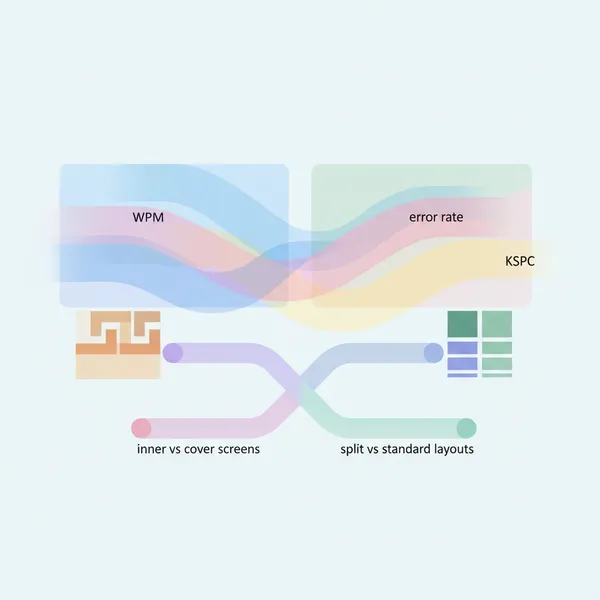
Design a mobile test mode that runs on‑device and automatically measures performance across:
- Inner display vs cover screen
- Split vs standard keyboard layouts
- Swipe (glide/flow) vs tap typing
- Keyboard height/resizing, duplicated keys, one‑handed/compact modes
- Language switching (e.g., Arabic ↔ English; Chinese Pinyin/Handwriting ↔ English)
Your goal is to reveal where each setup excels. Expect patterns like “swipe wins on the narrow cover screen,” while “split + two thumbs wins on the inner screen,” but verify with data.
What to measure (and how)
Use the text‑entry community’s standard metrics so results are comparable:
- Words per minute (WPM). Use the classic formula: characters (minus 1) ÷ seconds × 60 ÷ 5. (yorku.ca)
- Error rates. Track corrected and uncorrected error rates (CER, UER) to separate mistakes users fix from those they leave. (yorku.ca)
- Keystrokes per character (KSPC). Captures effort, especially useful when comparing swipe vs tap or heavy auto‑correction: total keystrokes ÷ characters. (yorku.ca)
- Backspace ratio and suggestion picks. Count backspaces and candidate‑bar taps as proxies for cognitive/visual load.
For baseline context, cite the 37,000‑person study (≈36.2 WPM average; two‑finger faster than one) in your report pages so testers know where they stand. (userinterfaces.aalto.fi)
Implementation: detecting inner vs cover and layout states
- Detect fold posture and display regions with Jetpack WindowManager; it exposes folding features and posture so your app can log whether the user is on the cover display or the inner screen and when they switch. For Pixel Fold and modern foldables, the library reports hinge/fold state and boundaries your app overlaps. (developer.android.com)
- Android’s guidance: support foldable display modes (rear/dual‑screen) via WindowManager APIs so you can confirm which display is active during a trial. Record posture transitions as events in your log stream. (developer.android.com)
Tip: mark each trial with detected state (Cover vs Inner), orientation, and window size class. That way one session can contain multiple comparable segments without forcing relaunches.
Building the test matrix
1) Layouts to compare
- Standard (full‑width)
- Split (with and without duplicated keys on Gboard; SwiftKey “Thumb” mode)
- One‑handed/compact (useful on cover screens)
Expose a quick‑toggle bar so testers can change layouts between short trials (20–40 seconds each). Gboard’s split keyboard and its “duplicated keys” switch live under Preferences → Layout, while SwiftKey’s “Thumb” (split) mode is a built‑in keyboard mode. (9to5google.com)
2) Input methods
- Tap typing
- Swipe typing (Gboard “Glide,” SwiftKey “Flow”). Note: not all languages support glide/flow in Gboard, so detect and label availability in the UI. (support.google.com)
3) Tuning variables
- Keyboard height and size/transparency (Samsung Keyboard supports granular resizing). (samsung.com)
- Suggestion strip on/off
- Haptic feedback on/off
- Number row on/off
Language‑switch scenarios that matter
Foldables are popular with multilingual users. Include tasks that require switching:
- Arabic ↔ English within one paragraph (tests right‑to‑left + Latin transitions)
- Chinese (Pinyin or Handwriting) ↔ English for names and places
- Spanish ↔ English code‑switching in chat
Implementation tips and user prompts:
- Gboard: long‑press the space bar to switch languages; show a toast reminding users during language trials. (support.google.com)
- SwiftKey: enable two languages and rely on automatic language detection/prediction where possible; log when users still switch manually. (support.microsoft.com)
Real‑world tasks (beyond pangrams)
Add short, goal‑oriented trials that expose where split layouts help or hurt:
- Chat reply (30–45 s): include emojis and mid‑sentence language switch.
- Address form (60 s): street, city, ZIP/postal code, apartment number; toggles between letters, numbers, and punctuation.
- Product code entry (30 s): mix of caps, digits, and hyphens.
- Search query (20 s): encourage glide typing on cover screen vs tap on inner.
Report per‑task WPM, UER, KSPC, and backspace ratio. Expect the cover screen + swipe to lower KSPC (fewer taps) but sometimes raise UER if the language model misses rare terms; expect inner screen + split + two thumbs to raise WPM and reduce backspaces. Validate these hypotheses with your logs.
Practical tuning tips for testers
- On Samsung Keyboard, try Split on the inner screen and adjust height via Size & transparency to reduce reach and still see more content above the keys. (samsung.com)
- On Gboard, try Split with duplicated edge keys on the inner display; on the cover display, compare one‑handed mode vs standard + Glide typing. (9to5google.com)
- If swipe/flow results lag, remember that glide support and behavior vary by language; switch to tap for unsupported layouts, or install bilingual typing in SwiftKey for mixed‑language chats. (support.google.com)
How to present results
- Session timeline: a strip that marks Cover vs Inner, layout changes, and language switches as colored segments.
- Per‑condition cards: WPM, UER, KSPC, backspace ratio, and suggestion picks per minute, with confidence intervals over repeated trials.
- “What worked best for you” summary: e.g., “Inner + Split + Two thumbs: 44 WPM, 1.8% UER; Cover + Glide: 36 WPM, 3.0% UER.” Compare to population baseline from the 37k‑user study. (userinterfaces.aalto.fi)
Why this matters
Foldables blur the line between phone and tablet. The cover screen favors one‑hand reach; the inner canvas rewards two‑thumb coordination. A proper Split‑Thumbs Test recognizes both contexts, uses standard text‑entry metrics, and respects platform realities (like language and glide support). Build it once, and you’ll give users and researchers an honest read on when split keyboards truly speed things up—and when they get in the way.