Why 2026 became the year of the webcam posture coach
If your feeds looked anything like mine this year, you saw a wave of on‑device, privacy‑preserving apps that turn your laptop camera into a real‑time posture coach. SitSense tracks neck angle, head‑forward position, and shoulder slope in the browser; Posture Coach and Backtrack say they’re built on Google’s MediaPipe pose landmarks; open‑source options like BatesPosture run entirely on your machine. The pitch is simple: gentle nudges when your neck cranes or your shoulders round, plus weekly summaries of how you sit while you type. (sitsense.app)
Under the hood, many of these tools rely on MediaPipe’s pose models (33 body landmarks) that are designed for on‑device, real‑time inference—no frames leave your machine by default. That matters for privacy‑sensitive work. (developers.google.com)
Do their posture metrics map to real ergonomics?
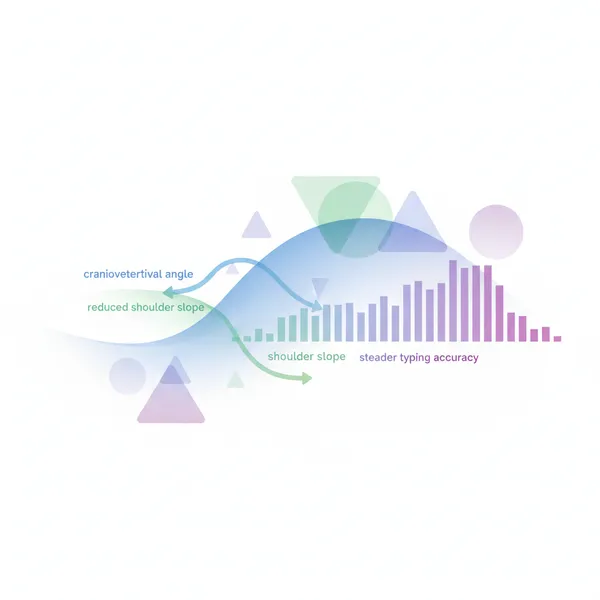
- Neck angle (craniovertebral angle, CVA): Clinically, CVA is a common way to quantify forward head posture using two points (tragus of the ear and C7). Photogrammetry shows excellent reliability (e.g., ICC ≈ 0.98 across raters), and many studies treat CVA below ~48–50° as forward head posture. That gives us a reasonable target for “coach” alerts. (pmc.ncbi.nlm.nih.gov)
- Shoulder slope/rounding: Ergonomics guidance emphasizes keeping shoulders relaxed and elbows near the torso (roughly 90–100°) to avoid sustained abduction or reaching. (osha.gov)
- Wrist bend and wide reach: Neutral wrists and keeping the mouse close to the keyboard reduce strain; prolonged reaching increases shoulder and forearm load. (osha.gov)
Caveat: markerless computer‑vision isn’t perfect. Independent comparisons find MediaPipe 2D landmarking generally reliable for many joint angles, but accuracy varies by joint and movement; 3D “lifted” estimates can degrade without depth information. For desk work (often partially occluded wrists under the desk), expect neck/torso/shoulder cues to be more dependable than precise wrist angles. (frontiersin.org)
The apps we tested (and the tech they use)
- SitSense (web + Chrome extension): Tracks six+ upper‑body metrics (neck angle/CVA, head tilt/forward, shoulder slope, slouch) and runs in‑browser. (sitsense.app)
- Posture Coach (desktop): Explicitly built on MediaPipe for real‑time landmark tracking; uses rolling thresholds so it nudges you only on sustained slouch. (posturecoach.app)
- Backtrack (web): “Privacy first,” pose detection entirely in your browser using MediaPipe. (back-track.app)
- BatesPosture (open source): MediaPipe‑based score (0–100) updated every second, fully on‑device. (posture.palanbates.com)
- Verta (macOS): Menu‑bar coach with posture “insights” over time. (getverta.com)
- StopSlouching (web): On‑device model; quick breaks when you slouch. (stopslouching.app)
All of these lean on the same modern recipe: a fast, on‑device pose model (often MediaPipe’s Pose Landmarker), simple angle math, and context‑aware nudges. MediaPipe’s documentation confirms the 33‑landmark topology and on‑device processing. (developers.google.com)
What to measure: comfort, posture, and typing performance
You don’t need a lab to see if coaching helps your actual typing. Track:
- Posture metrics: Median and 90th‑percentile neck angle (larger CVA is better), time with shoulders level, and any wrist‑bend readouts your app exposes.
- Comfort: End‑of‑day neck/shoulder/wrist ratings (0–10 scale) and number of unscheduled breaks due to discomfort.
- Performance: Daily 5–10 minute typing tests (WPM and accuracy)—ideally on the same site, time of day, and text length.
Why these? Because CVA is a validated proxy for forward head posture, neutral wrists and reduced “wide reach” are consistent with OSHA/NIOSH guidance, and WPM/accuracy tell you whether “sitting better” actually translates to steadier output. (mdpi.com)
A starter, at‑home protocol you can replicate
Run this over four weeks to balance novelty effects and give habits time to form.
1) Baseline (Week 1): No coach. Keep your normal setup. Each day, log a single 10‑minute typing test (WPM, accuracy), a 0–10 discomfort score (neck/shoulders/wrists), and note any breaks for discomfort.
2) Coach On (Week 2): Pick one on‑device coach and enable real‑time cues. Aim for a CVA ≥ 50° and shoulders level. Keep the test routine identical. (mdpi.com)
3) Washout (Week 3): Turn the coach off, repeat measurements.
4) Coach On (Week 4): Re‑enable the same coach.
Set up matters. Before starting Week 2, quickly align your workstation to standards likely to amplify coaching benefits:
- Keyboard/mouse at or just below elbow height; elbows near the torso at ~90–100°. (osha.gov)
- Neutral wrist posture; keep the mouse close to the keyboard to avoid wide reach. (osha.gov)
- Monitor directly in front; top of the screen at or slightly below eye level. (osha.gov)
- If possible, use a slight negative tilt for the keyboard to help wrists stay neutral. (ergo.human.cornell.edu)
How to analyze your results:
- Posture: Compare median CVA and “time above target” (e.g., % of session ≥ 50°) across weeks. Expect clearer wins on neck/torso than wrists if your laptop camera can’t see the hands reliably. (frontiersin.org)
- Comfort: Look for a 1–2 point drop in end‑of‑day neck/shoulder discomfort on coach weeks. That’s a meaningful change for most people.
- Performance: Small but steady WPM/accuracy improvements during coach weeks (or fewer accuracy dips late in the day) suggest posture cues reduce fatigue‑related slip‑ups. Keep expectations modest—coaching steadies you more than it “boosts speed.”
Practical setup tips for better data (and comfort)
- Get the camera angle right: Place the webcam roughly at eye level, centered, with good lighting to reduce landmark jitter. MediaPipe performs best with a clear view of the upper body. (developers.google.com)
- Don’t chase perfect angles: Favor sustained neutrality over “robotic” stillness. OSHA recommends organizing tasks to allow micro‑breaks and posture variation—use the coach to catch drift, not to freeze you in place. (osha.gov)
- Fix reach first: If your mouse sits far to the right, you’ll compensate with shoulder abduction and neck lean. Slide it next to the keyboard or consider a compact board to bring the pointer closer. (ccohs.ca)
Bottom line
- The tech is ready: On‑device pose tracking with MediaPipe makes private, real‑time coaching feasible on everyday laptops. (developers.google.com)
- The metrics are meaningful—within reason: CVA and shoulder alignment line up with established ergonomics; wrist angles are trickier from a laptop vantage. (mdpi.com)
- Gains you can expect: Better awareness, fewer long slouch spells, and—if your setup also follows OSHA/Cornell basics—modest improvements in comfort and steadier typing over weeks.
If you try the protocol, share your anonymized before/after plots with us. We’ll feature the most insightful home benchmarks in a follow‑up roundup.
> Note: Webcam coaches are wellness tools, not medical devices. If you have persistent pain or neurological symptoms, consult a qualified clinician.