Why this matters right now
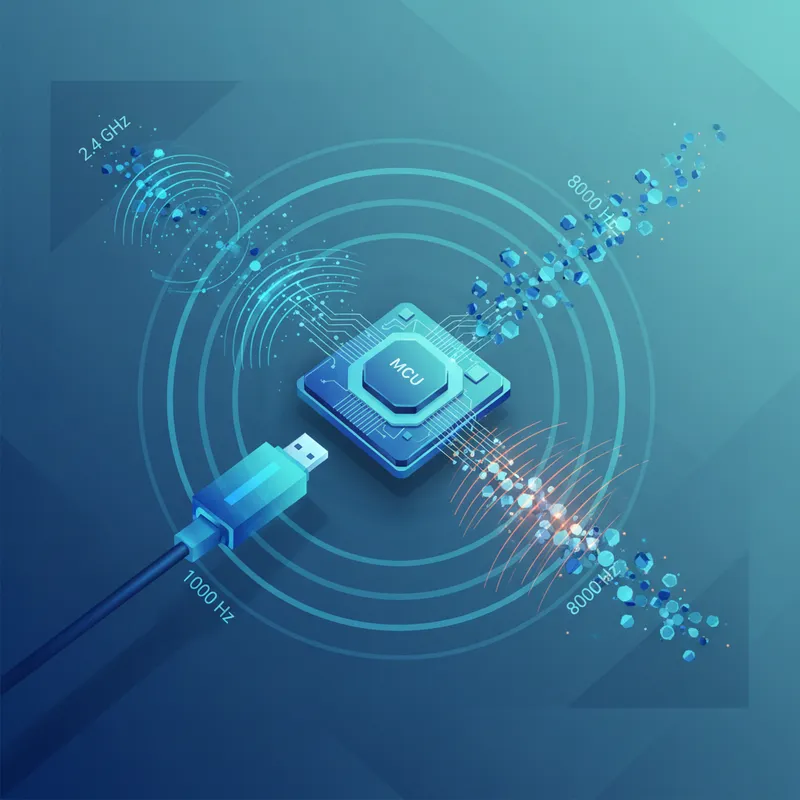
Wireless keyboards aren’t just for travel anymore. At CES 2026, Keychron’s new Q Ultra line debuted with ZMK firmware, touting up to 660 hours of battery life while maintaining an 8,000 Hz polling rate over a 2.4 GHz dongle—numbers that, if true, rival or beat many wired setups. That’s a big moment for ZMK, which has long positioned itself as a wireless‑first alternative to QMK. (theverge.com)
ZMK vs QMK: what’s actually different
- Philosophy: ZMK is built on Zephyr RTOS and designed “wireless‑first,” with power efficiency and BLE baked in. It uses a permissive MIT license that eases integration with radio stacks. QMK still shines for wired USB on AVR/RP2040/ARM and remains dominant in the custom scene. (zmk.dev)
- Wireless support: QMK’s upstream Bluetooth support is limited and historically dependent on add‑on modules; by contrast, ZMK treats wireless as a first‑class feature. That’s why vendors pursuing low‑power wireless keyboards (and now high‑rate 2.4 GHz) are looking to ZMK, sometimes with vendor‑specific forks. (docs.qmk.fm)
Note: ZMK’s public FAQ has, until recently, downplayed 2.4 GHz dongle mode, yet Keychron’s CES boards pair ZMK with 2.4 GHz at 8K polling. That suggests vendor extensions on top of upstream ZMK—even as the public docs catch up. (zmk.dev)
Latency, simply explained (and what 8K really does)
- Polling math: 1000 Hz polling gives the host a new report every 1 ms; 8000 Hz cuts that host‑side interval to 0.125 ms. That’s the ceiling for the “transport” slice of latency—not the whole picture. Matrix scanning, debounce, OS scheduling, and display refresh still add up. (techpowerup.com)
- Real‑world context: Even high‑end wired 8K keyboards don’t always feel dramatically faster than 1K in typical typing; diminishing returns kick in once other latency components dominate. (tomshardware.com)
- Wireless modes differ: Proprietary 2.4 GHz (with a USB dongle) can approach wired‑like latency; BLE prioritizes efficiency and typically negotiates connection intervals around 7.5–11+ ms, which translates to several milliseconds of added input delay. ZMK exposes 7.5 ms intervals out of the box; USB tends to be ~1 ms transport. (docs.slicemk.com)
- A current reference point: In 2025 testing, Keychron’s K8 Max ran at 1000 Hz over 2.4 GHz or USB, but Bluetooth dropped to ~90 Hz—illustrating why serious typists and gamers prefer 2.4 GHz (or wired) for speed‑critical sessions. (tomsguide.com)
Battery life: why ZMK helps—and what to watch
- The headline number: Keychron claims up to 660 hours (backlight off) at 8K over 2.4 GHz on the Q Ultra series, thanks in part to ZMK’s efficiency and a modern MCU. We’ll verify this with instrumented testing (see protocols below). (keychron.com)
- Firmware details matter: BLE connection parameters, debounce strategy, scan methods, and peripheral sleep states all change power draw; ZMK’s wireless‑first design optimizes many of these by default. Platform quirks can swing results—e.g., a recent macOS 15 change to BLE latency negotiation can hurt battery life until tuned. (zmk.dev)
- Practical takeaway: If you need maximum endurance, disable RGB, prefer BLE when latency isn’t critical, and keep your dongle within line of sight when in 2.4 GHz high‑polling mode to avoid retries.
Reliability and consistency
- 2.4 GHz vs BLE: 2.4 GHz dongles typically deliver steadier latency and fewer missed keystrokes under RF load than BLE, which trades some consistency for energy savings and universal compatibility. Our lab will test packet drop rates and reconnect times across noisy Wi‑Fi environments. (See protocols.)
- Wired baseline: For mission‑critical sessions—coding interviews, live writing, tournaments—USB still provides the most deterministic path and the best fallback if RF conditions are chaotic. Many ZMK boards, including the Q Ultra models, support wired operation as well. (keychron.com)
Our test protocols for 2026 (wired, 2.4 GHz, and BLE)
We’re rolling out standardized, repeatable tests so results on our typing test site compare apples to apples. If you’re a firmware or keyboard maker, reach out to participate.
1) End‑to‑end latency (E2E) with high‑speed capture
- Method A (camera): Record at ≥240 fps with both the switch/LED trigger and an on‑screen response (e.g., text cursor). Convert frames to milliseconds; run 100+ trials per mode to chart average and jitter. (testbeforeyoubuy.com)
- Method B (instrumented): Microcontroller trigger that closes the switch and photodiode on the display, or LDAT‑style timing where available, to remove human reaction time. (github.com)
2) Sustained typing latency under load
- A 10‑minute scripted “120 WPM” macro and a 10‑minute human session in our browser typing test while background CPU/GPU load is applied. We log OS‑level HID timestamps and in‑app event times to examine median, 95th, and worst‑case latency per mode.
3) Polling‑rate sanity check
- Verify advertised polling using host‑side HID timestamps and USB descriptors (wired/2.4 GHz). Confirm effective report cadence matches 8K, 1K, 125 Hz claims. This prevents “label says 8K, telemetry says otherwise” scenarios. (techpowerup.com)
4) Battery drain and runtime
- For boards with removable batteries: measure current with a Nordic PPK‑II or inline coulomb counter across three scenarios—idle connected, steady 60 WPM, and bursty 120 WPM—with and without backlighting. For sealed boards, log ZMK‑reported battery percentage over multi‑day traces and correlate with duty cycle. (zmk.dev)
5) Reliability and reconnection
- In a controlled RF chamber and a “noisy office” setup, measure packet error rates, missed keystrokes, and reconnect time after host sleep/airplane‑mode toggles. Compare wired vs 2.4 GHz vs BLE across Windows/macOS.
6) Cross‑platform consistency
- Repeat all tests on Windows 11 and macOS 15; note BLE parameter differences and any OS‑specific quirks (like macOS connection‑interval behaviors). (github.com)
Practical tips for serious typists
- Choose your mode by task: use wired or 2.4 GHz for latency‑sensitive work (live coding, competitive typing), BLE for battery sipping on the go. The delta is measurable, especially on long sessions. (tomsguide.com)
- Verify your settings: if you bought an 8K‑capable board like the Keychron Q Ultra, confirm the polling mode in the vendor app and validate on your system before testing or competing. (keychron.com)
- Save battery smartly: backlight off (or low), shorter RGB effects, and sensible sleep timers matter more than you think—especially at high polling rates.
Bottom line
ZMK going mainstream means wireless no longer has to feel like a compromise for typists. With 2.4 GHz high‑polling implementations arriving alongside ZMK’s mature low‑power stack, the real‑world gap to wired is narrower than ever. Our new test suite will separate marketing from measurable gains—so when you see “8K” and “hundreds of hours,” you’ll know what those numbers mean for your sustained typing latency, battery life, and day‑to‑day reliability. (theverge.com)