Why microbreaks in 2026 deserve a fresh, evidence‑first look
If you type for hours a day, you’ve probably heard well‑meaning advice like “take frequent microbreaks.” But which cadence actually helps—and will it slow you down? The latest Cochrane review (updated October 8, 2025) looked specifically at work‑break interventions and found the effect of extra breaks on musculoskeletal pain and productivity is still very uncertain due to small, heterogeneous trials. One small study hinted at reduced back pain with more breaks, but overall confidence is low. In short: we can’t claim a magic schedule yet. (cochrane.org)
At the same time, ergonomics agencies still advise short, regular pauses for high‑repetition computer work, framed within a broader ergonomics process (training, early reporting, and evaluation). OSHA’s computer workstation eTool literally calls out micro breaks or rest pauses for repetitive, static postures. NIOSH also emphasizes program elements and measuring cost–benefit as part of a defensible ergonomics approach—important if you support remote teams. (osha.gov)
Practical defaults you can actually use
Given the uncertainty in outcomes, the most defensible path is to adopt reasonable, configurable defaults and measure results in your context. Modern break‑timer apps point to sensible starting points:
- Microbreaks: about 30 seconds every ~3 minutes of active typing/mousing.
- Rest breaks: about 10 minutes every ~45 minutes.
These are the typical patterns showcased in Workrave’s docs and site. You can adjust frequency and duration later based on your metrics and team feedback. (workrave.org)
A quick note on tooling in February 2026: the latest stable Workrave release is 1.10.54 (October 16, 2025) for Windows and Linux, with a 1.11 RC3 available and a macOS port in development. That makes Workrave a good cross‑platform option for most remote teams today. (workrave.org)
Set up Workrave in 5 minutes (Windows/Linux)
1) Download and install the stable build for your OS (Windows or Linux). (workrave.org)
2) Open Preferences → Timers.
- Set Microbreak “Time between breaks” to 3:00 and “Break duration” to 0:30.
- Set Rest break “Time between breaks” to 45:00 and “Break duration” to 10:00.
- Optionally limit postponing/skipping to encourage compliance; both buttons are configurable. (workrave.org)
4) Consider enabling a daily limit (e.g., 8 hours of active computer use) and the built‑in exercises during rest breaks. (workrave.org)
5) Use the main timer window to watch active versus idle time and spot ignored or overdue breaks. (workrave.org)
Pro tip: OSHA advises frequent short pauses and mixing tasks to reduce repetition; if your role is mouse‑heavy, alternate hands and add keyboard shortcuts to give tendons a breather. (osha.gov)
How to A/B test cadence—and prove ROI—on a typing‑test site
You don’t have to guess. Treat microbreak cadence like any other product variable and test it.
- Define outcomes you care about:
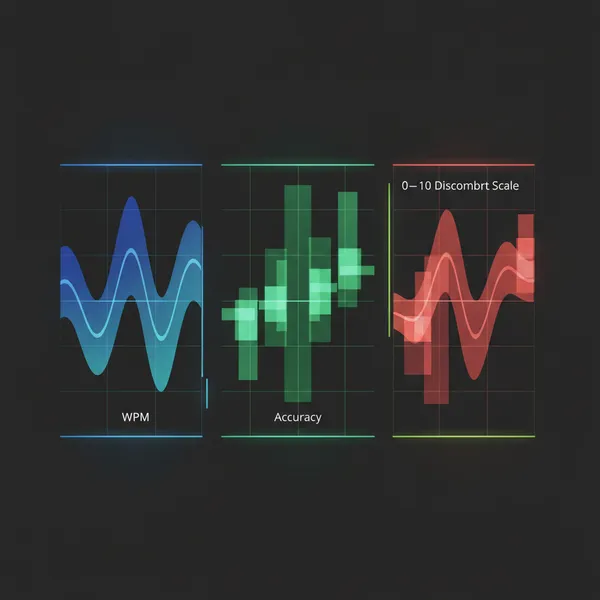
- Net speed and accuracy: Use the 5‑character standard for words per minute (WPM). Many platforms report net WPM (errors deducted) and accuracy separately—use both. For example, net WPM is derived by subtracting error penalties before converting to WPM, while accuracy is adjusted hits divided by total hits. Consider “Adjusted WPM” (AWPM = WPM × Accuracy) as a single effectiveness score. (en.wikipedia.org)
- Discomfort: Add a 1‑question post‑test prompt using the Borg CR‑10 (0–10). Scores ≥3.5 have been shown to predict higher risk of future neck/low‑back pain in office workers over 6 months—use that as a flag to track risk trends. (link.springer.com)
- Design the experiment:
- Randomly assign sessions to a control cadence (e.g., no enforced microbreaks) and one or more variants, such as 30s/3min or 60s/10min microbreaks with a 10‑minute rest each 45–60 minutes. Keep test length/content constant.
- Track: gross WPM, net WPM, accuracy, AWPM, error rate by character/word, prompts triggered, and completion rates. Also record whether users postpone/skip breaks (your “compliance” metric).
- Run the test long enough to get stable estimates (e.g., thousands of sessions). Use standard A/B analysis to detect small changes in AWPM (1–3%) and discomfort rates.
- Calculate ROI you can show your stakeholders:
- Performance ROI: ROI_speed = ((AWPM_variant − AWPM_control) ÷ AWPM_control) × 100. Even a 2% AWPM gain at scale can be meaningful.
- Quality ROI: Change in error rate (fewer corrections downstream for your users or customers).
- Health‑risk ROI: % of sessions with Borg ≥3.5 reduced across variants (a leading indicator of WMSD risk). NIOSH explicitly recommends evaluating effectiveness and calculating cost–benefit for ergonomics interventions—fold these metrics into that review cadence. (cdc.gov)
Why this approach is defensible for remote teams
- Evidence‑aware: You’re not overselling. The best current synthesis (searches through May 31, 2024; review published October 8, 2025) says break effects on pain and productivity are very uncertain; you treat microbreaks as a low‑cost, testable hypothesis, not a cure‑all. (cochrane.org)
- Standards‑aligned: Your setup borrows from OSHA’s micro break guidance and NIOSH’s ergonomics‑program framework (management commitment, worker involvement, training, evaluation). In 2019, WMSDs accounted for 29% of U.S. cases involving days away from work, with a median 14 days—so tracking discomfort and early reporting is worthwhile. (osha.gov)
- Practical: Defaults are pulled from a mature, cross‑platform app (Workrave) that remote teams can deploy quickly. (workrave.org)
Tips for individual typists (quick wins)
- Use a break‑timer (or your OS focus features) to surface microbreaks you’ll actually take.
- During microbreaks, let go of the keyboard/mouse, stand if you can, and look 20+ feet away (good for your eyes). Keep rest breaks for walking, light stretching, and water. (osha.gov)
- Alternate tasks to avoid long blocks of nonstop typing. If your job is mouse‑intensive, add keyboard shortcuts and, if possible, switch hands for mousing occasionally. (osha.gov)
Bottom line
- The gold‑standard evidence doesn’t yet prove that extra microbreaks boost productivity or reduce pain for typists—but it doesn’t rule out benefits either. (cochrane.org)
- Adopt reasonable defaults (e.g., 30s every ~3 minutes; 10 minutes every ~45), measure net speed/accuracy and discomfort with a simple post‑test prompt, and iterate. That’s how you’ll find the typing microbreaks that actually help your team in 2026. (workrave.org)