Why code‑mixed typing matters now
If you write texts like “Vamos al mall later? I’ll book the Uber” or “Kal call karte hain around lunch,” you’re already living in a code‑mixed world. In the United States, 78.3% of people age 5+ speak only English at home—meaning over one in five regularly uses another language, with Spanish, Chinese, and Tagalog leading the list. That’s a huge share of potential test‑takers who naturally switch languages in daily writing. (census.gov)
In India, the 2011 Census shows about 26% of the population is bilingual and roughly 7% is trilingual, a multilingual reality that fuels everyday Hinglish across messaging apps and social media. (censusindia.gov.in)
Research and open corpora confirm that code‑mixing isn’t fringe: we have long‑standing Spanish‑English datasets like the Bangor Miami Corpus and multiple Hinglish resources (e.g., PHINC for parallel machine translation), while recent work even tracks a gradual rise in Hinglish code‑mix on Indian social media over the last decade. (talkbank.org)
Bottom line: most typing tests still assume a single language, but real digital communication doesn’t. Let’s fix that.
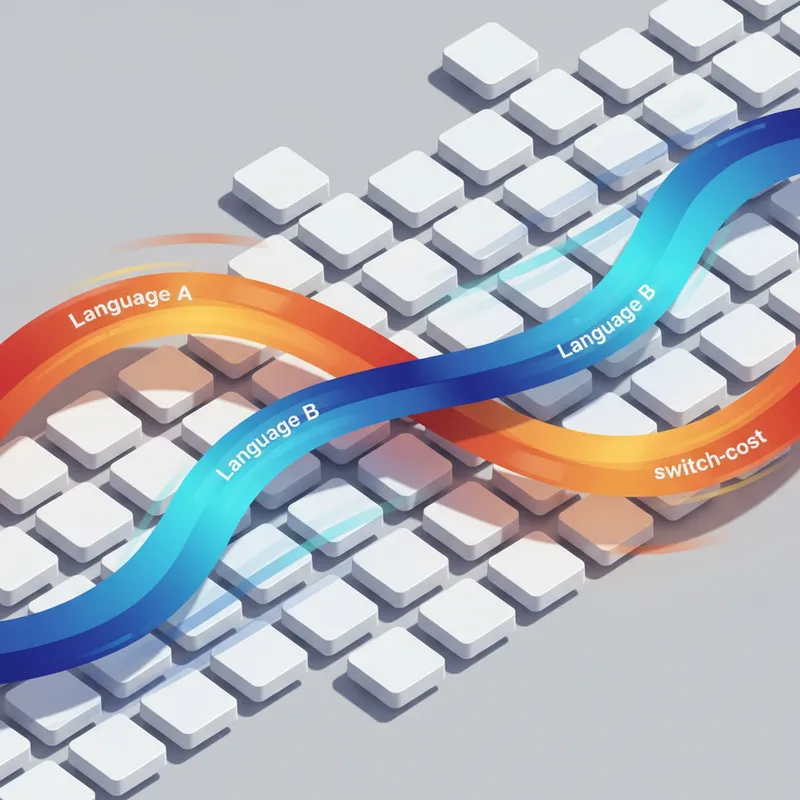
The science bit: switch‑cost and bilingual flow
Psycholinguistics has a name for the momentary slowdown many bilinguals feel when changing languages: “switch cost.” Across studies, responses on switch trials tend to be slower and less accurate than on repeat trials, and the size (and even direction) of that cost depends on factors like cueing and proficiency balance. (frontiersin.org)
Recent work compares cued vs. voluntary switching and shows that when people are free to choose the easier word/language, switch costs can shrink or change, which better matches how texting actually works. There are even typed‑response experiments showing that asymmetries can reverse under voluntary switching. Translation: don’t hard‑code assumptions about which direction (L1→L2 or L2→L1) is “harder.” Measure it. (cambridge.org)
Writing (not just speaking) shows its own patterns: studies contrasting spoken and written production find both shared and modality‑specific control processes, so a good typing test should capture written‑language switch behavior—not just borrow results from spoken tasks. (cambridge.org)
Designing truly realistic code‑mixed test content
- Start from real corpora. Seed bilingual prompts using resources that reflect genuine mixing and switch points. For Spanish‑English, the Bangor Miami Corpus is a classic; for Hinglish, use PHINC and related datasets. Sample short, naturalistic snippets with one or two planned switches per line so you can localize difficulty. (talkbank.org)
- Curate phrase sets like HCI pros do. Borrow methods from text‑entry research: MacKenzie & Soukoreff’s 500‑phrase approach popularized controlled, representative prompts, and Paek & Hsu described how to generate representative phrase sets from modern domains (email, social). Apply the same logic to code‑mixed corpora. (researchgate.net)
- Match scripts to reality. Hinglish often appears in Latin script, but many users alternate with Devanagari via transliteration tools. Offer variants (Latin‑only, native‑script, or mixed) so your test reflects what users actually type. (en.wikipedia.org)
New metrics: beyond WPM and Accuracy
Traditional typing tests report Words Per Minute (WPM; 5 chars = 1 word), accuracy, and sometimes Keystrokes Per Character (KSPC). Keep those—but add bilingual‑aware metrics to reveal what’s happening at switch points. (yorku.ca)
- Per‑switch slowdown (PSS). Compute the local speed drop within ±3–5 words of a switch boundary vs. baseline lines with no switch. Report average PSS and a small chart so users see where they stumble.
- Directional switch cost. Segment switches by direction (e.g., Eng→Spa vs. Spa→Eng; Eng→Hin vs. Hin→Eng) and report the mean cost difference. Users (and teams) often discover asymmetries they didn’t know they had. (frontiersin.org)
- Error hot‑spots at boundaries. Map corrected and uncorrected errors to token positions around the switch to find whether slips cluster just before or just after the changeover.
- Mixing cost vs. single‑language baseline. Include a “no‑switch” control block so users can compare their mixed‑context performance to single‑language typing.
- Language‑segmented KSPC. Compute KSPC separately per language span to catch over‑correction in one language but not the other. (yorku.ca)
UX features that make bilingual typing feel fair
- Auto‑language hints (soft). Use lightweight word‑level language identification to color the caret or adjust suggestions per token, without hard‑switching layouts. Benchmarks like LinCE show token‑level LID for code‑switching is well studied, and mainstream keyboards (e.g., Microsoft SwiftKey) already adjust predictions on the fly when you type in multiple languages. (aclanthology.org)
- Layout locking. Many OSs flip layouts with shortcuts (Alt/Shift/Win+Space on Windows). Accidental toggles can torpedo a test. Provide an in‑test “lock layout” toggle and a preflight reminder showing the user’s current OS shortcut, with tips to change it if needed. (support.microsoft.com)
- Script/transliteration toggle. For Hinglish, let users choose Latin transliteration or Devanagari, and don’t penalize for consistent, user‑selected script.
- Bilingual difficulty tiers. Offer step‑ups: Tier 1 (single switch per prompt), Tier 2 (two switches, predictable), Tier 3 (free‑form mixed text with named entities and idioms). This matches how switch cost grows with control demands rather than raw speed. (cambridge.org)
- Multilingual UX defaults. Enable dual‑language spell‑check and suggestions by default on mobile (mirroring SwiftKey’s multilingual mode), but allow a “monolingual focus” toggle for training precision in one language. (support.microsoft.com)
Validating that it works (and is fair)
- Ground truth from corpora. Annotate switch boundaries and languages per token in your prompts (borrowing LID labels from LinCE‑style tasks). Track where your test reports slowdowns against those labels. (aclanthology.org)
- Compare conditions. A/B test the same content in (a) single‑language and (b) mixed‑language formats. Look for expected mixing and switch costs at group level; ensure no UI artifact (like layout flips) is inflating errors. (cambridge.org)
- Report language fairness. Publish aggregate metrics by script option and switch direction so users know the test doesn’t advantage one path (e.g., Eng‑dominant) over another.
Practical tips for bilingual typists
- Train the switch, not just speed. Practice short bursts that include one planned switch; then add a second switch after a punctuation mark. You’re building control, not only WPM.
- Tune your keyboard. On mobile, enable two languages so predictions adapt as you mix. On desktop, set an intentional layout shortcut—or disable accidental toggles—before a test. (support.microsoft.com)
- Separate skills days. Alternate sessions: one day pure L1 or L2 accuracy; next day mixed prompts with focus on smooth transitions.
- Review your heatmap. After each session, check error hot‑spots around switches. If most errors land right after the switch, slow down one word earlier and pre‑plan the next token.
The takeaway
Code‑mixed typing is normal, widespread, and measurable. By sourcing realistic Hinglish/Spanglish text, adding switch‑aware metrics, and shipping multilingual‑savvy UX, typing tests can finally reflect how bilinguals actually write—and help everyone build genuine bilingual flow. (nature.com)